

Make every email move your work forward

Elite Mail Works tracks email opens and clicks, and collects documents, video recordings, and signatures. Keep conversations and customer requests in one workspace.

Start with Elite Mail WorksSee how it works
  • Compatible with Gmail™, Microsoft Outlook, and Yahoo Mail
  • Free plan. No credit card needed.
  • Works with
    • Claude
    • Cursor
    • ChatGPT
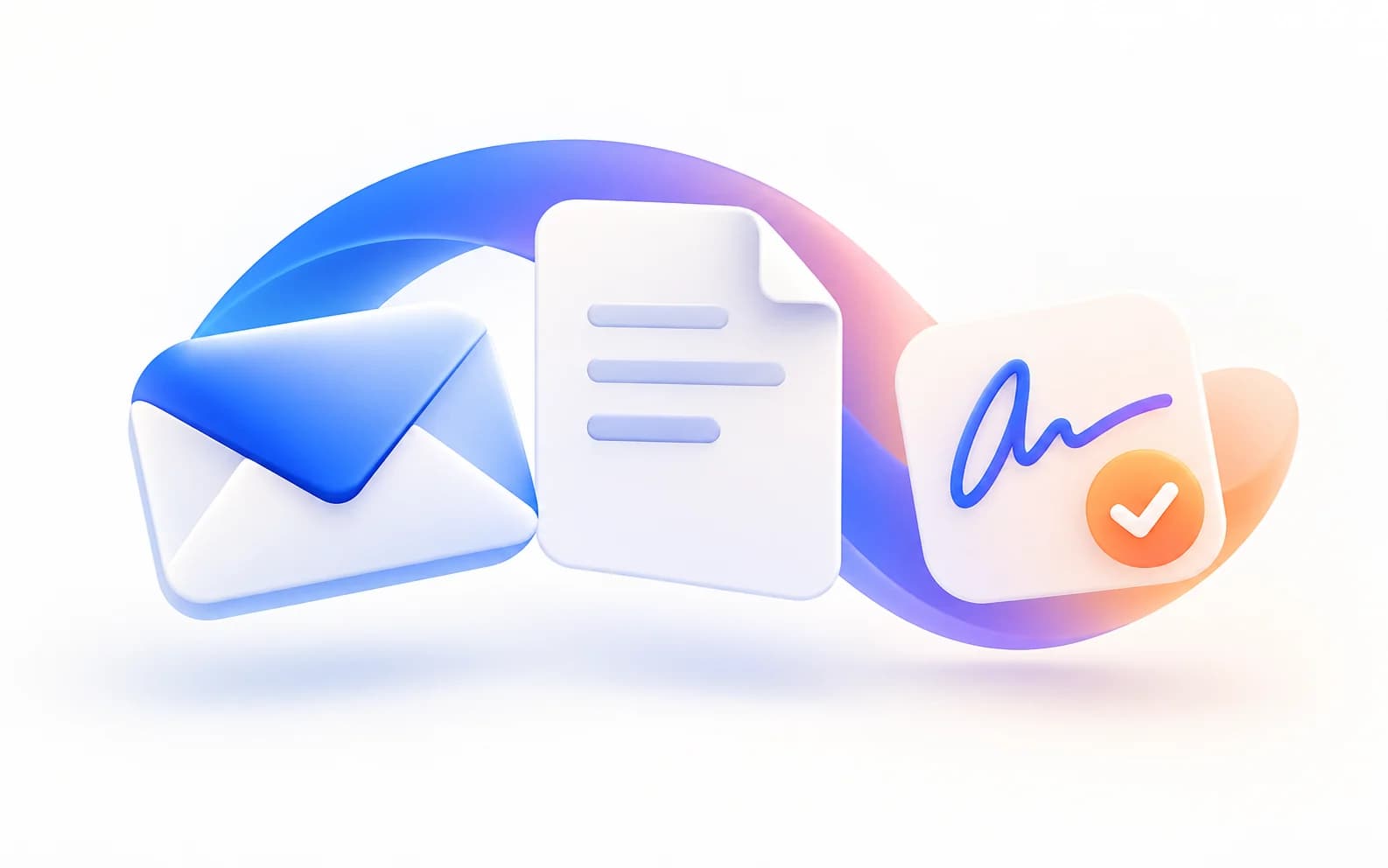
An email envelope, shared document, and signed agreement representing the Elite Mail Works workspace
Activity signals
Follow-ups
Video messages
Documents
E-signatures

Built for relationship-driven work in

Real estate, Marketing, American law, Sales, Accounting, Education, Hiring, Recruiting, Consulting, Professional services

Real estateMarketingAmerican lawSalesAccountingEducationHiringRecruitingConsultingProfessional services

From the first email to the finished request

Start with the inbox you know. Collect what you need, review the response, and keep the next step clear.

  1. Elite Mail Works
    Gmail™, Outlook, Yahoo Mail

    Connect the inbox you already use

    Bring Gmail™, Outlook, or Yahoo into one workspace. Your address, conversations, and sending identity stay familiar.

  2. Schedule sendTrack linksTrack clicksVideo messagesPDF analyticsPowerPoint analyticsRequest signaturePoll

    Send with the right context

    Track an email, share a file, or ask for documents, a recording, or a signature. Give the recipient a clear next step.

  3. Email opened2m
    Document viewed8m
    Link clicked12m
    New poll response18m
    Document signed1h
    Follow-up dueReview draft

    Follow the work through

    Review email activity and submitted files or recordings. Follow up on missing items and keep completed requests together.

Set a reminder. Plan the next step.

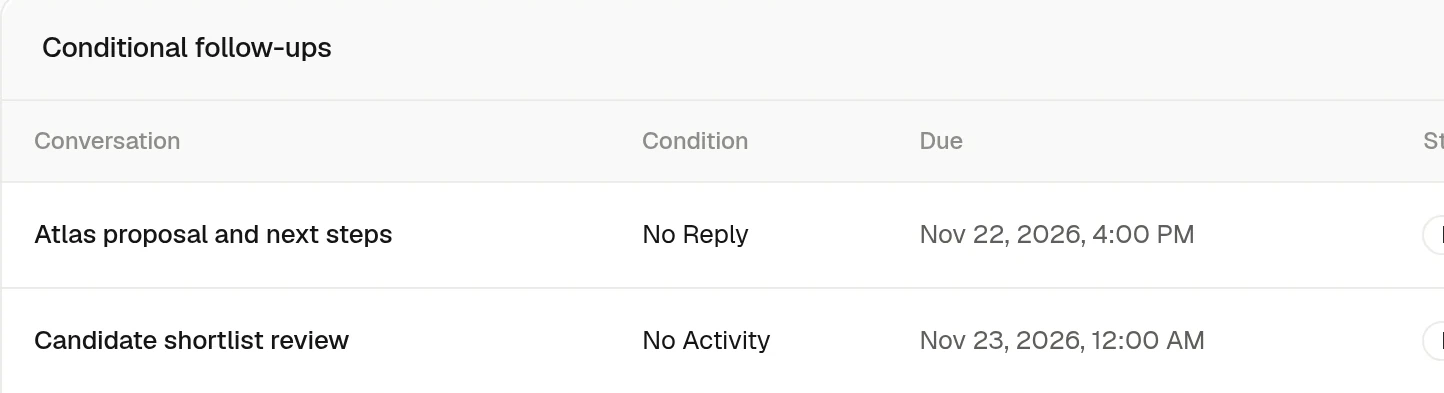
Create a workflow for the conversations that matter. Choose its timing, stop conditions, and level of automation—whether you want a reminder, a draft to review, or a follow-up sent under your rules.

  • Follow up on a proposal at the right time
  • Keep client onboarding tasks moving
  • Prepare a personal check-in before it is due
See workflow examples
Example workflow notifications
  1. Proposal viewed again11:24 AMmaya@example.comCanada flagTorontoMobileMobileiOSiOSSafariSafariPages 1–32m 14s readingVisit 3
  2. Personal check-in due11:00 AMavery@northline.coLast open:United Kingdom flagLondonMobileMobileiOSiOSSafariSafariOct 7Quarterly check-inReminder only
  3. No-open reminder due10:00 AMjordan@acme.comNo qualifying openDevice data pendingClient onboardingSent 2 days ago
  4. Draft ready for review9:02 AMmaya@example.comPrepared by Muse agentAwaiting reviewProposal follow-upPersonalized draft
  5. Proposal follow-up due9:00 AMmaya@example.comLast open:United States flagLos AngelesDesktopDesktopmacOSmacOSChromeChromeProject proposal3 days without reply

The message, the signal, and the work that follows

Track a conversation, collect customer documents, request a recorded presentation, or get an agreement signed. Follow the work from the first message to completion.

Email tracking

An open is only part of the story

See when a link was clicked, where the request came from, and the device or browser behind it when available. Elite identifies privacy fetches from services such as Apple Mail Privacy Protection and the Gmail™ image proxy, keeping them separate from likely-human activity.

  • Click time and destination
  • Approximate location and device, when available
  • Privacy relays and scanners clearly labeled
Explore email tracking
Email openedUniqueSep 15 · 3:16 AM
maya@example.com
United States flagLos Angeles, USACity and countryDesktopDesktopDevice typemacOSmacOS ChromeBrowser usedIP 76.32.xx.xxNetwork address
Charter CommunicationsInternet provider
Document viewedAug 30 · 4:22 PM
Recipient: maya@example.com
Canada flagToronto, CanadaMobileMobileiOSiOSSafariSafariPDF file
Pages 2–4 viewedProposal sections explored2m 14s on page 3
Poll response: “When should we kick off?”Aug 29 · 9:45 AMResponse time
Recipient: maya@example.com
United Kingdom flagLondon, UKDesktopDesktopWindowsWindowsOperating system EdgeProject kickoff poll
Thursday afternoonPreferred kickoff time66% answered
Illustrative activity details for an email open, a document view, and a poll response.
Campaigns

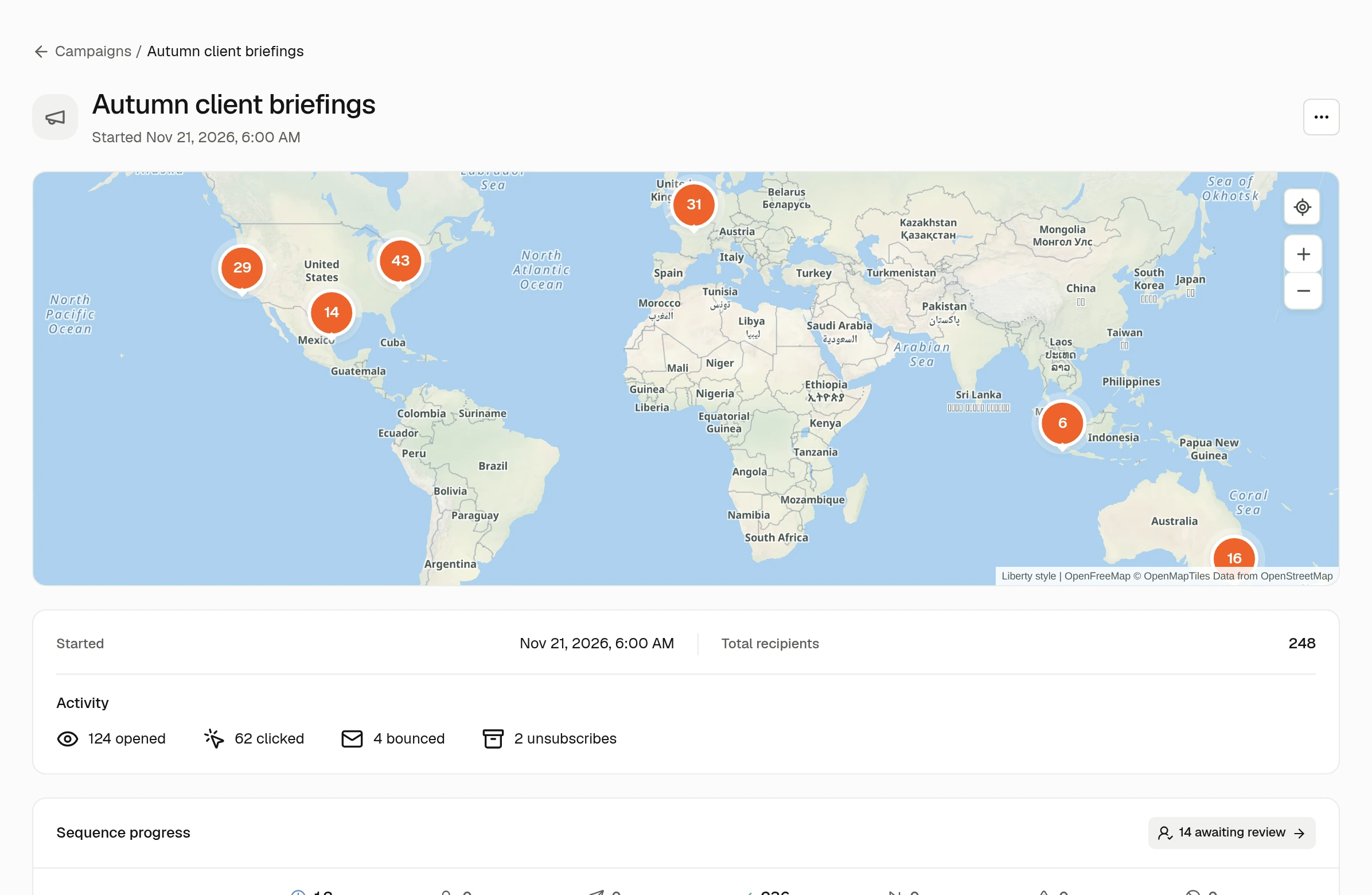
Send personalized emails to your contact list

Campaigns send each contact a separate, personalized email from your connected Gmail™ or Outlook inbox. Preview the message each person will receive, then review delivery and the activity your provider supports.

  • Choose a contact list
  • Pick a template
  • Review delivery and activity
Explore campaigns
Campaign report with a map of where recipients opened, the send date, and totals for opened, clicked, bounced and unsubscribed
Document requests

Collect the files your work depends on

Send customers a checklist and a private upload link. See what is missing, review each document, and ask for replacements. Recipients do not need an account.

  • Required and optional items on one checklist
  • A private upload link, no account needed
  • Accept a file or request a replacement
Explore document requests
Video requests

Ask for a recording. Hear their explanation.

Request a project presentation, introduction, or walkthrough. Recipients record in their browser, preview the result, and submit it for your review.

  • Camera, screen, or both
  • Recipients preview before they submit
  • Accept the video or ask for a new recording
Explore video requests
An architectural presentation with the presenter in a square camera inset.
00:24

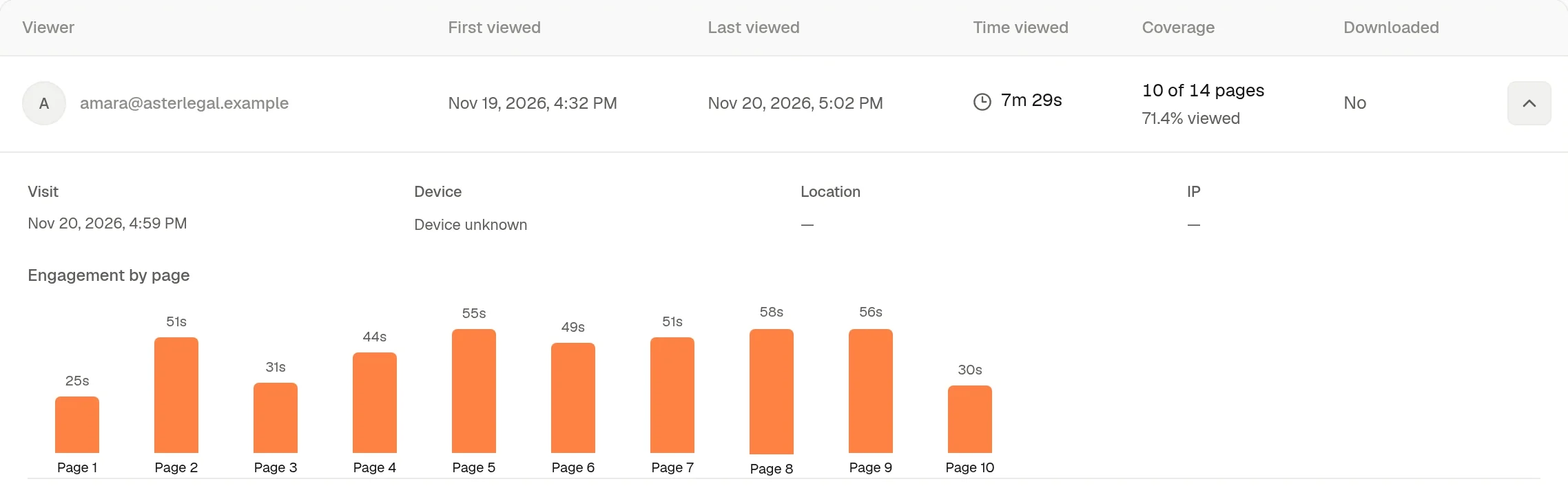
See how your proposal was viewed

See each viewer session and which pages were opened. Use that context to guide your next conversation.

Explore documents
Viewer activity for a shared proposal with first and last viewed times, time viewed, page coverage and time spent on each page

Take the agreement through signature

Invite signers, follow each person’s progress, and keep the completed PDF and audit record together

Explore signatures

And many more features

Email sentYesterday
Follow up with ZosiaTomorrow · 9:00 AM
Remind meSet
Reminder queued

Follow-up Reminders

Know when it is time to follow up

Link clicks93+9%
Replies251+24%
Likely-human opens

842+18%

MonSun

Email Analytics

See your email activity in one clear dashboard

Hi {{first_name}}Zosia,

Email Templates

Save and share the messages your team uses most

Screen + camera
1:24

Video Messages

Record your screen and send it by email

Encrypted

Secure Document Sharing

Share private files with access controls

◈ ACME 01 / 03
Project proposalScope & approach
CONFIDENTIAL

Confidential Watermark

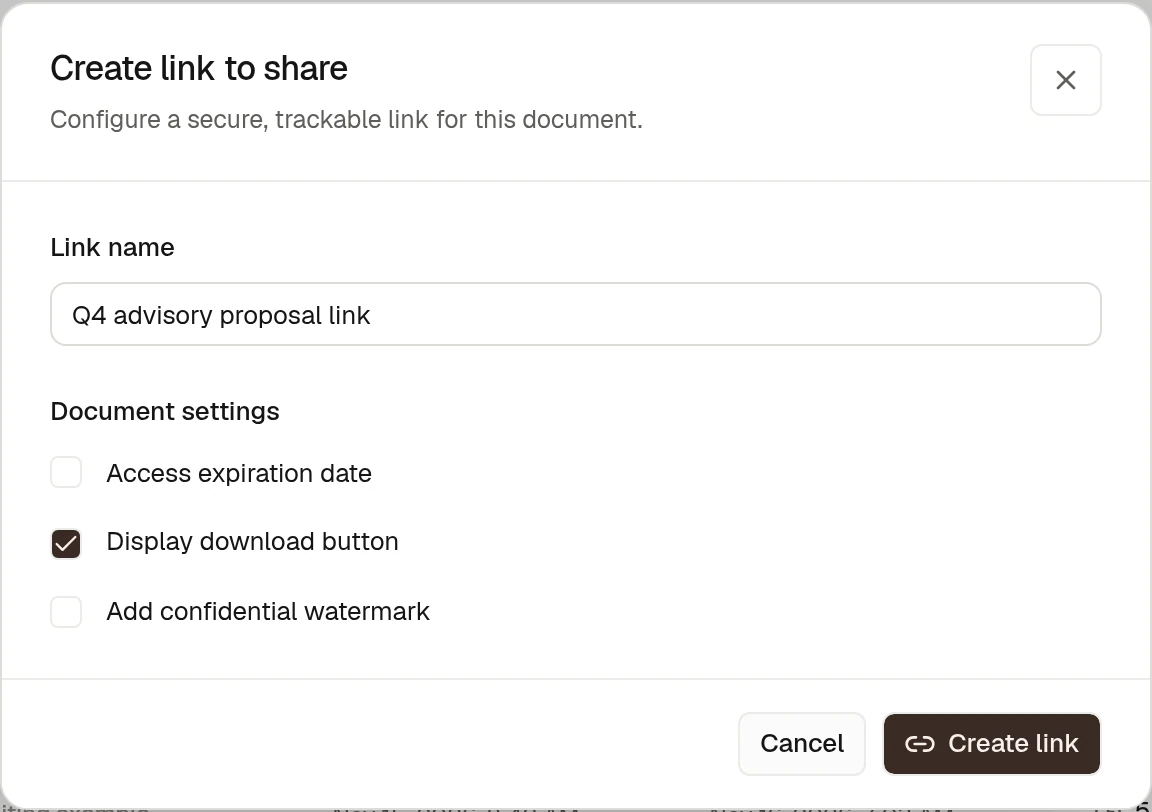
Add a viewer-specific watermark to every page

IWIris Walktelliris@altstudio.co
Studio launch proposalProposal viewed
3 conversations
Open contact
BJBeff Jezosbeff@roux.studio
Brand refreshFollow-up tomorrow
5 conversations
Open contact
JAJohn Appleseedjohn@northline.co
Website handoffAgreement signed
2 conversations
Open contact

CRM for Email

Keep contacts and conversations together

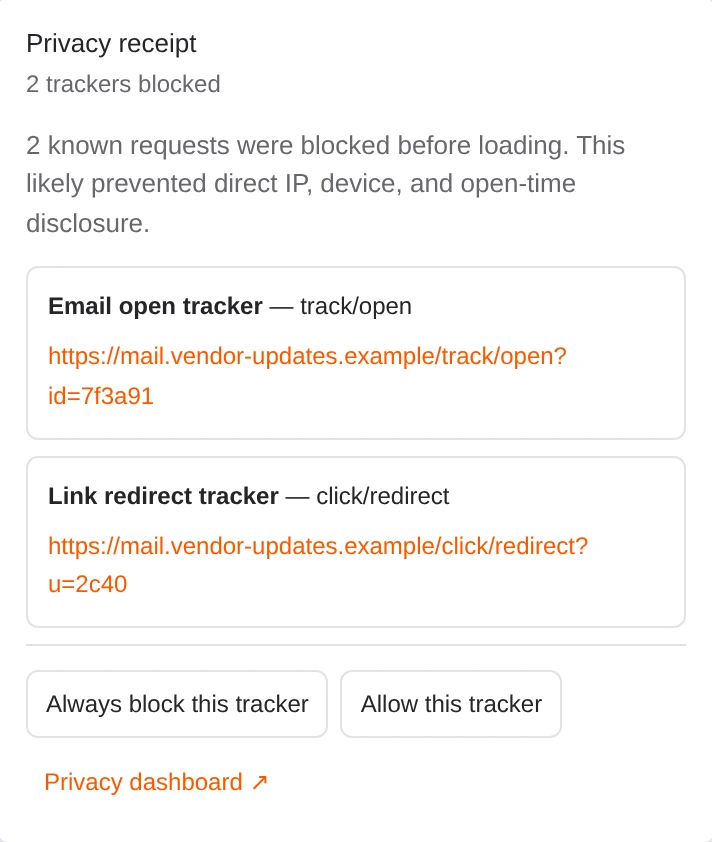
Trackers blocked3

Tracker Blocking

See and block hidden email trackers

View all features

Your conversations and requests, all in one workspace

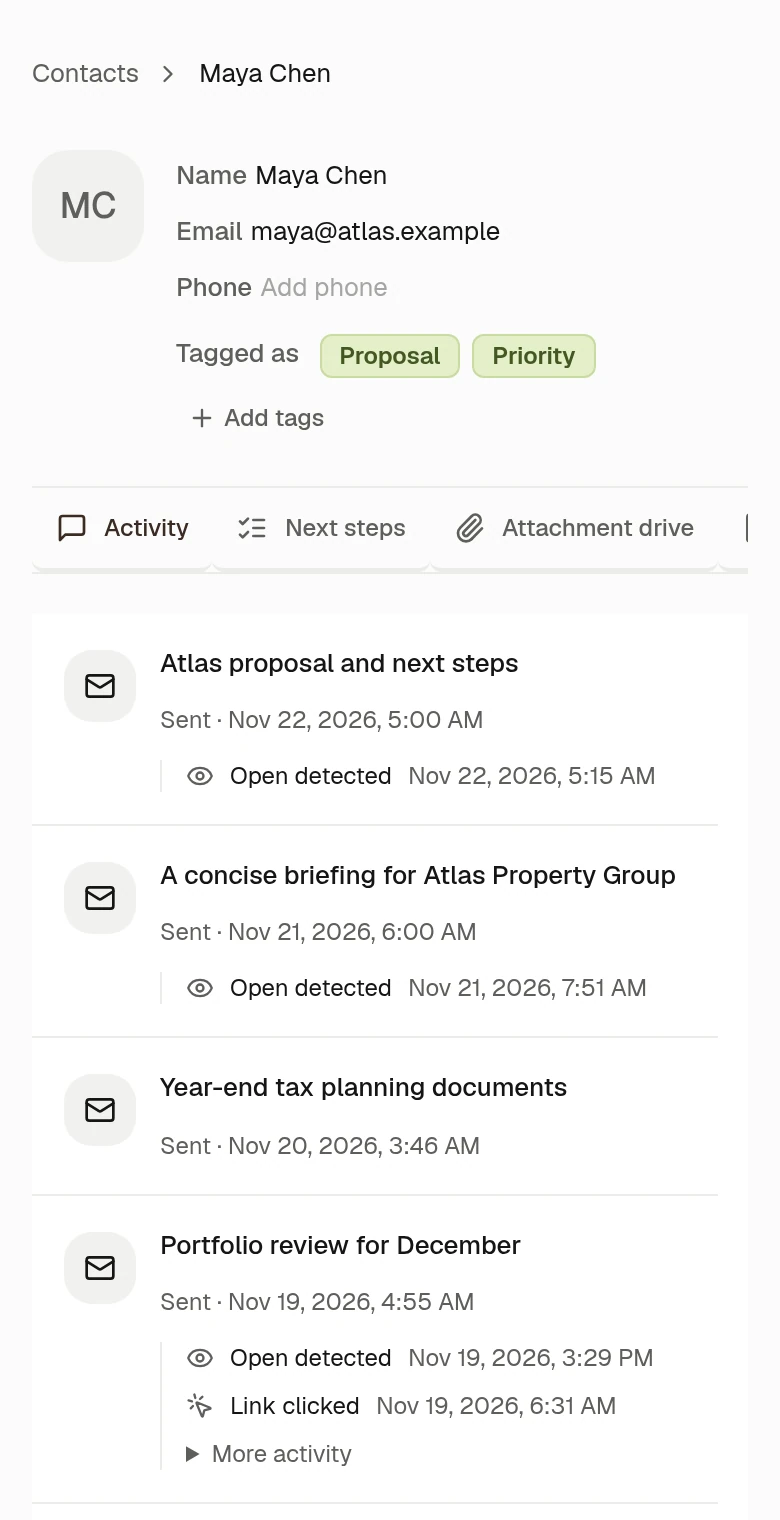
Keep contacts, scheduled emails, requested files, recordings, signatures, and activity together

Contact profile

Keep messages, files, notes, and activity together for each contact

Schedule send
Mon23Tue24Wed25Thu26Fri27
8:0010:3014:00
ScheduledWed 25 · 8:00

Schedule send

Write your email now and choose when it goes out

Virus detection

Analyze files for potential viruses and other threats before sharing them

Dashboard analytics

See sending, replies, link activity, and engagement patterns in one dashboard

Put the prep work on autopilot with the AI you already use

Connect , , , or to review activity, summarize conversations, prepare replies, and build campaign drafts. Your agent does the groundwork; you choose its access and approve sends and launches.

Explore AI connections
Set up our Q4 partner meeting. Get the partner list, pull Salesforce numbers, and draft a report email with a poll.
Agents thinking·4s
Drafting an email to the partner list and embedding a poll to find a meeting time.
Multi-agent answer
Your partner email is ready: I pulled Q4 sales and pipeline figures from Salesforce and created a PDF report with the numbers.
The draft includes: the partner list, a secure tracked report link, and an embedded poll to choose a meeting time.
Would you like me to send it? The email is waiting for your approval. You can track report views and poll responses once it’s sent.
What would you like to prepare?
Multi-agent
Four AI agents show their thinking and combine their work into one answer.

Meet people where the conversation already lives

Use Elite across your favorite browsers, inboxes, and devices. Arc, Dia, Brave, Comet, and Helium use the Chrome extension; Zen uses the Firefox extension.

Browser extensions

Work seamlessly in your favorite browser

Email inboxes

Bring your email together in one place

Mobile devices

Stay productive on the go

Mobile apps

Take Elite with you on iPhone, iPad and Android

Check opens, reply to activity and follow up from your phone. Sign in with the same Elite account.

Download on theApp StoreGet it onGoogle Play
Scan for iPhone & iPad
Scan for Android

Keep your inbox and your team in sync

Connect the tools your team uses for customer relationships, collaboration, and everyday automation

Explore integrations
  • Gmail
  • Outlook
  • Yahoo Mail
  • Elite Mail WorksElite Mail Works
  • HubSpotHubSpot
  • SalesforceSalesforce
  • PipedrivePipedrive
  • SlackSlack

Start with the signal. Add the workflow when you need it.

Use Free for everyday tracking, Pro for your complete personal workflow, or Team for shared visibility and controls

Free

Open and click tracking for everyday email

$0forever

No card required

Get Free
  • Unlimited open and click signals
  • Gmail™, Outlook, and Yahoo indicators
  • Activity feed, contacts and lists
  • 100 campaign emails
  • 5 document requests
  • 5 video requests
  • 2 active installations for one person
Most popular

Pro

Campaigns, follow-ups, documents, and signatures for your daily work

$69/year

Billed yearly

  • Everything in Free
  • Unlimited campaign emails and contact history
  • Follow-up workflows and reminders
  • Document tracking, polls, and signatures
  • Document and video requests
  • Detailed activity and notifications
  • Tracker detector and blocker
  • One person, up to 5 active installations

Team

Shared activity and account controls for your team

$89/person/year

Billed yearly

  • Everything in Pro
  • Add people one seat at a time; your seat counts too
  • Shared team dashboard and feed
  • Team analytics and leaderboards
  • Admin invites, removal, and roles
  • CRM export (CSV)
  • 5 active installations per person

Prices are USD before applicable tax Annual plans are paid in full yearly Team includes a paid seat for the owner

Start on Free. Upgrade only when the workflow earns its place. Compare every plan

What teams usually want to know first

Track email opens and clicks, request documents and video recordings, collect signatures, and manage follow-ups from one workspace. Keep using your existing Gmail™, Outlook, or Yahoo Mail address.

Not necessarily. Privacy services and automated scanners can create activity that looks like a person opened an email. Elite labels signal quality and keeps that context visible instead of treating every event as equal.

Recipients can upload requested documents or record and submit a requested video through a private link without creating an Elite account. Recording options depend on their browser and device.

Yes. Review uploaded documents or a submitted video, accept them, or request replacements with notes explaining what needs changing. Signature requests have their own signing and completion workflow.

Choose a reminder, a supported provider draft, or an authorized follow-up. Outlook supports reply-aware workflows. Fresh Gmail™ sequences cannot detect replies or bounces and require acknowledgement that those events will not stop the sequence automatically.

Yes. The Free plan includes everyday open and click tracking, provider indicators, an activity feed, and two active installations for one person.

Send with context. Follow through with confidence.

Track important emails. Collect the documents and recordings you need. Take agreements through signature and give every conversation a next step.

Start freeSee plans
Free plan available · Connect Gmail™, Outlook, or Yahoo
Elite Mail WorksElite Mail Works
Email TrackerWorkflowsSolutionsPricing
Log inStart free

Tracking

Elite Email TrackerFollow-up RemindersEmail Analytics

Outreach

CampaignsMail MergeEmail TemplatesVideo Messages

Requests & documents

Document RequestsVideo RequestsSignature RequestDocuments overviewDocument TrackingSecure Document SharingConfidential Watermark

Workspace

CRM for EmailTracker BlockingWorkflowsIntegrationsAI connections

Get Elite Mail Works

Chrome ExtensionEdge ExtensionFirefox ExtensionGmail™ Mobile Add-onOutlook Add-iniPhone & iPad AppAndroid App

Resources

BlogSign PDF OnlineSignature StudioFree email signature templatesFree Gmail™ signature generatorFree Outlook signature generatorVideo RecorderEmail Tracking GuideWorkflow ExamplesTutorialsCustom EmailFAQs & Help CenterComparisons
View all features
Product
Elite Email TrackerFollow-up RemindersEmail AnalyticsCampaignsMail MergeEmail TemplatesVideo MessagesDocument RequestsVideo RequestsSignature RequestDocuments overviewDocument TrackingSecure Document SharingConfidential WatermarkCRM for EmailTracker BlockingWorkflowsIntegrationsAI connections
Download
Chrome ExtensionEdge ExtensionFirefox ExtensionGmail™ Mobile Add-onOutlook Add-iniPhone & iPad AppAndroid App
Resources
BlogSign PDF OnlineSignature StudioFree email signature templatesFree Gmail™ signature generatorFree Outlook signature generatorVideo RecorderEmail Tracking GuideWorkflow ExamplesTutorialsCustom Email
WorkflowsSolutionsPricing
Log inStart free
Ask about Elite Mail Works on
Elite Mail WorksElite Mail Works
  • Download on the App Store
  • Get it on Google Play

Company

ContactAbout UsBrandingCareersPress

Features

Elite Email TrackerFollow-up RemindersEmail AnalyticsCampaignsMail MergeEmail TemplatesVideo MessagesDocument TrackingSecure Document SharingConfidential WatermarkSignature RequestCRM for EmailTracker BlockingDocument RequestsVideo Requests

Solutions

StartupsLawyers & AttorneysFreelancersHRTeachers & ProfessorsReal EstateMarketersSmall BusinessSales ProfessionalsAccountantsElite Mail Works for TeamsProposal Software

Download

Chrome ExtensionEdge ExtensionFirefox ExtensionGmail™ Mobile Add-onOutlook Add-iniPhone & iPad AppAndroid App

Resources

BlogSign PDF OnlineSignature StudioFree email signature templatesFree Gmail™ signature generatorFree Outlook signature generatorVideo RecorderEmail Tracking GuideWorkflow ExamplesTutorialsCustom EmailWorkflowsDocuments overviewAI connectionsIntegrationsEnterprisePricingFAQsComparisonsPrivacyTermsSecurity
  • Available in the Chrome Web Store
  • Add to Slack
  • Available on Microsoft Marketplace: Outlook add-in
  • Get it from Microsoft Edge
  • Get the Firefox add-on
  • Get it from Google Workspace Marketplace: Gmail add-on
  • Powered by AWS: system email delivery using Amazon SES
  • Protected by Cloudflare
  • Powered by Stripe: payment processing
  • elitemailsuite.com: green hosting through Cloudflare, checked by Green Web Foundation
  • Product HuntFind us onProduct Hunt

© 2026 Elite Mail Works. All rights reserved.

Gmail™, Google Workspace, Chrome, and Android are trademarks of Google LLC. Microsoft, Microsoft Edge, and Outlook are trademarks of the Microsoft group of companies. Yahoo and Yahoo Mail are trademarks of Yahoo Inc. Elite Mail Works is an independent product and is not affiliated with or endorsed by these companies.