Home/Download/Outlook

Email tracking add-in for OutlookEmail tracking for Outlook

Track messages with the Outlook add-in on Windows, Mac, and the web. Choose tracking for the message you are composing.

Get the Outlook add-inSee how it works
Across your Outlook appsAlready installed? Finish setup
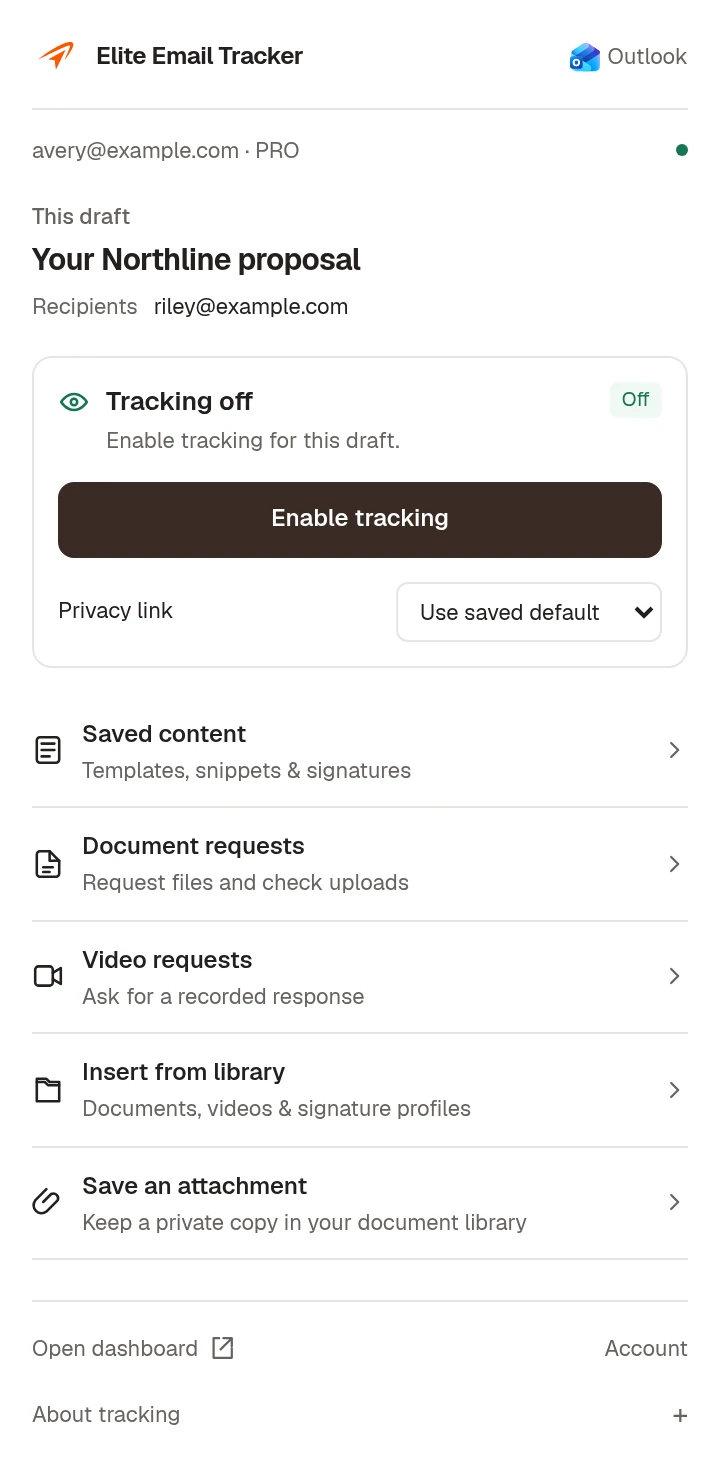
Elite task pane in Outlook with the tracking switch and saved content, document requests, video requests and the asset library
  • Windows, Mac and web

    One add-in for every Outlook you use

  • Track from compose

    Choose Track this message in the task pane

  • Reply-aware follow-ups

    Outlook supports reminders that stop when a reply arrives

Works with Outlook Outlook on the web

Why it matters

Outlook read receipts ask. Elite records.

A read receipt depends on the recipient clicking Yes. The Elite add-in tracks opens and link clicks for the messages you choose, in the Outlook you already use.

Outlook read receipts

  • Recipient can declineMost people do.
  • No link activityReceipts say nothing about clicks.
  • Desktop gapBrowser extensions cannot reach the Outlook desktop app.

With the Outlook add-in

  • Recorded for youOpens and clicks on tracked messages, no prompt for the recipient.
  • A full timelineEvery event with its time and classification.
  • Works on desktopWindows and Mac, as well as Outlook on the web.

How it works

The message stays in Outlook. The context comes with it.

Prepare an important email, choose tracking, and keep the next action close. Use Elite alongside the Outlook tools your team already knows.

01Task pane

Tracking in your Outlook task pane

Prepare a tracked message and review activity from the Outlook workflow your team uses

  • Inside Outlook. Open Elite beside the message you are writing.
  • Activity at hand. Recent tracked messages in the pane.
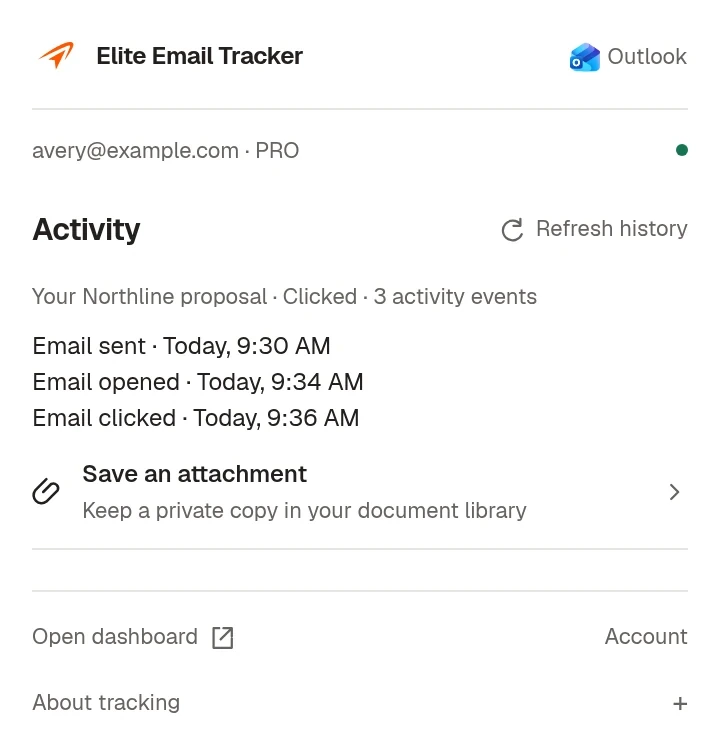
Elite task pane in Outlook showing the activity of a tracked message

02Installation

Choose your Outlook installation path

Follow the setup guidance for Windows, Mac, or Outlook on the web

  • Microsoft 365. Add it for Windows, Mac or the web.
  • For organizations. Admins can deploy through Integrated Apps.
  • Your organization may need to approve installation

03Compose

Prepare the message before you send

Use the add-in while composing to attach tracking to the conversation

  • Explicit choice. You decide which messages are tracked.
  • Send from Outlook. Nothing changes for the recipient.
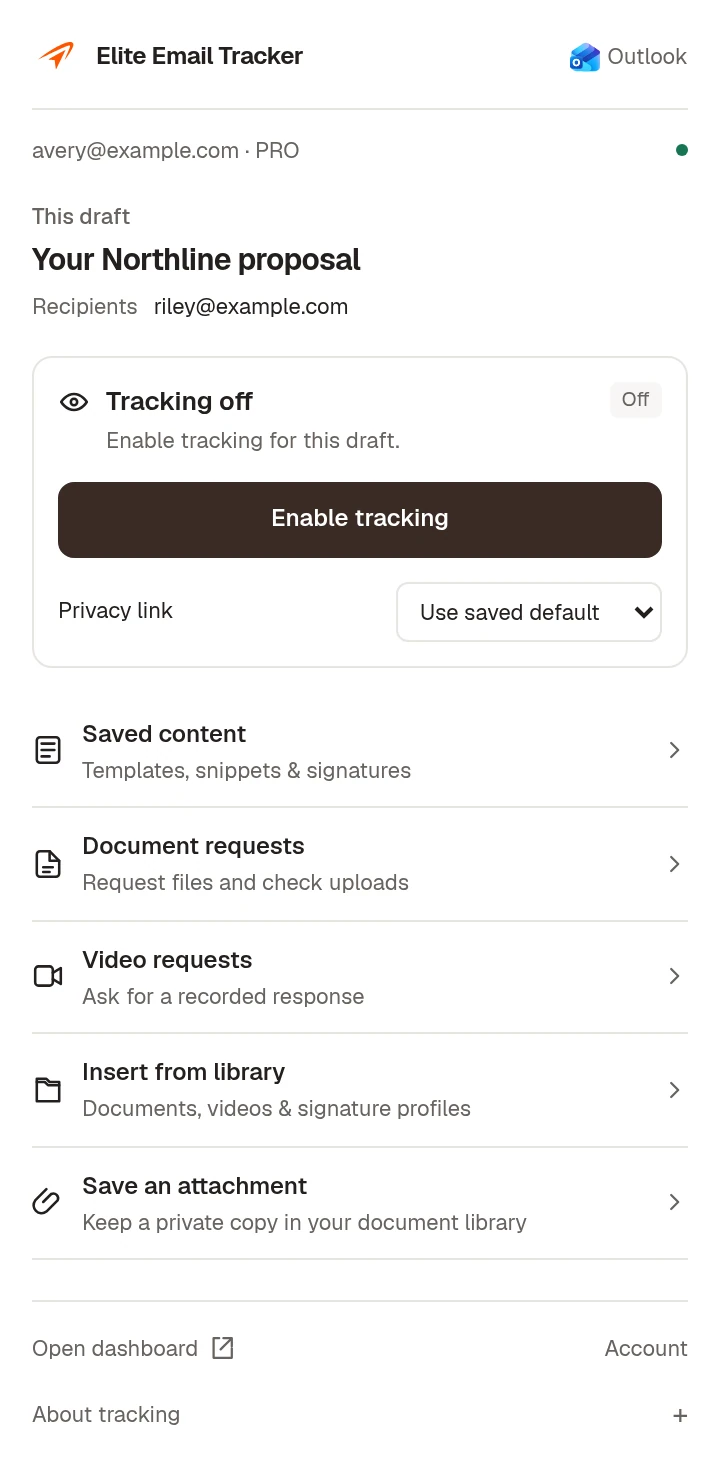
Elite task pane in Outlook with tracking enabled for the message being written

04Full report

Bring the conversation into the full report

Open detailed message activity in the connected dashboard when you need to review the history

  • Open the dashboard. For the complete history.
  • Plan the follow-up. With the timeline in front of you.
Message report in the Elite dashboard with the summary, the recipient context and the full timeline of opens and clicks

Get started

Set up in three steps

Outlook on Windows, Mac, and the web

  1. Install the Outlook add-in

    Add Elite to Outlook and sign in to your account

  2. Choose Track this message

    Open the Elite panel while composing and enable tracking for that email

  3. Send and review

    Send from Outlook, then review the message’s activity in Elite

Get the Outlook add-inInstallation guide

Good to know

Clear about the limits

We would rather you trust Elite than be surprised by it. These are the boundaries worth knowing before you install.

  1. Your organization may manage which Outlook add-ins you can install. Ask your administrator about deployment if installation is restricted.
  2. The browser extension supports Outlook on the web. The add-in also works in Outlook on Windows and Mac.
  3. The add-in does not block business mail during a general API outage. Known policy or recipient-opt-out conflicts can still prompt the sender to correct or remove tracking.
  4. Microsoft 365 administrators can make the add-in available to the organization through Integrated Apps

Other platforms

Elite wherever you send email

One account covers every browser, add-in and mobile app. Install as many as you use.

Chrome Extension

Track email directly from Chrome

View

Edge Extension

Track email directly from Microsoft Edge

View

Firefox Extension

Track email directly from Firefox

View

Gmail™ Mobile Add-on

Track messages from the Gmail™ mobile app

View

iPhone & iPad App

Email tracking for iPhone and iPad

View

Android App

Email tracking for Android

View

Questions

Outlook FAQ

Answers about setup, compatibility, privacy, and day-to-day use

Visit the help center

Which Outlook versions can I use?

The add-in supports Outlook on Windows, Mac, and the web. Your organization can manage installation through its add-in policies.

Do I need the browser extension too?

The extension is an option for Outlook on the web. Use the add-in when you send from the Outlook desktop app.

Is every message tracked automatically?

Choose Track this message in the Elite compose panel for each message you want to track.

Can an open confirm that someone read my email?

No. Privacy services and automated scanners can request an email’s images too. Elite labels that activity so you can interpret it in context.

Get started

Give your next Outlook message a clearer next step

Track messages with the Outlook add-in on Windows, Mac, and the web. Choose tracking for the message you are composing.

Get the Outlook add-inCompare plansAll downloads
Elite Mail WorksElite Mail Works
Email TrackerWorkflowsSolutionsPricing
Log inStart free

Tracking

Elite Email TrackerFollow-up RemindersEmail Analytics

Outreach

CampaignsMail MergeEmail TemplatesVideo Messages

Requests & documents

Document RequestsVideo RequestsSignature RequestDocuments overviewDocument TrackingSecure Document SharingConfidential Watermark

Workspace

CRM for EmailTracker BlockingWorkflowsIntegrationsAI connections

Get Elite Mail Works

Chrome ExtensionEdge ExtensionFirefox ExtensionGmail™ Mobile Add-onOutlook Add-iniPhone & iPad AppAndroid App

Resources

BlogSign PDF OnlineSignature StudioEmail signature templatesGmail™ signature generatorOutlook signature generatorVideo RecorderEmail Tracking GuideWorkflow ExamplesTutorialsCustom EmailFAQs & Help CenterComparisons
View all features
Product
Elite Email TrackerFollow-up RemindersEmail AnalyticsCampaignsMail MergeEmail TemplatesVideo MessagesDocument RequestsVideo RequestsSignature RequestDocuments overviewDocument TrackingSecure Document SharingConfidential WatermarkCRM for EmailTracker BlockingWorkflowsIntegrationsAI connections
Download
Chrome ExtensionEdge ExtensionFirefox ExtensionGmail™ Mobile Add-onOutlook Add-iniPhone & iPad AppAndroid App
Resources
BlogSign PDF OnlineSignature StudioEmail signature templatesGmail™ signature generatorOutlook signature generatorVideo RecorderEmail Tracking GuideWorkflow ExamplesTutorialsCustom Email
WorkflowsSolutionsPricing
Log inStart free
Ask about Elite Mail Works on
Elite Mail WorksElite Mail Works
  • Download on the App Store
  • Get it on Google Play

Company

ContactAbout UsBrandingCareersPress

Features

Elite Email TrackerFollow-up RemindersEmail AnalyticsCampaignsMail MergeEmail TemplatesVideo MessagesDocument TrackingSecure Document SharingConfidential WatermarkSignature RequestCRM for EmailTracker BlockingDocument RequestsVideo Requests

Solutions

StartupsLawyers & AttorneysFreelancersHRTeachers & ProfessorsReal EstateMarketersSmall BusinessSales ProfessionalsAccountantsElite Mail Works for TeamsProposal Software

Download

Chrome ExtensionEdge ExtensionFirefox ExtensionGmail™ Mobile Add-onOutlook Add-iniPhone & iPad AppAndroid App

Resources

BlogSign PDF OnlineSignature StudioEmail signature templatesGmail™ signature generatorOutlook signature generatorVideo RecorderEmail Tracking GuideWorkflow ExamplesTutorialsCustom EmailWorkflowsDocuments overviewAI actionsIntegrationsEnterprisePricingFAQsComparisonsPrivacyTermsSecurity
  • Available in the Chrome Web Store
  • Add to Slack
  • Available on Microsoft Marketplace: Outlook add-in
  • Get it from Microsoft Edge
  • Get the Firefox add-on
  • Get it from Google Workspace Marketplace: Gmail add-on
  • Powered by AWS: system email delivery using Amazon SES
  • Protected by Cloudflare
  • Powered by Stripe: payment processing
  • elitemailsuite.com: green hosting through Cloudflare, checked by Green Web Foundation
  • Product HuntFind us onProduct Hunt

© 2026 Elite Mail Works. All rights reserved.

Gmail™, Google Workspace, Chrome, and Android are trademarks of Google LLC. Microsoft, Microsoft Edge, and Outlook are trademarks of the Microsoft group of companies. Yahoo and Yahoo Mail are trademarks of Yahoo Inc. Elite Mail Works is an independent product and is not affiliated with or endorsed by these companies.