Home/Download/iPhone & iPad

Email tracker app for iPhone and iPadElite for iPhone and iPad

Send tracked email, switch between connected accounts, review activity and get follow-up alerts. Elite Mail Works for iPhone and iPad is available now on the App Store.

Download on theApp Store
See how it works
Free to download. Sign in with your Elite account.Already installed? Finish setup
Elite Mail Works activity screen on iPhone and iPad
  • Know the moment it is opened

    Push alerts for opens and link clicks on the messages you track

  • All your inboxes

    Connect Gmail™ and Outlook accounts and switch between them

  • The whole relationship

    Contacts, activity and follow-ups in one mobile workspace

Works with Gmail™ Outlook

Why it matters

The reply you were waiting for rarely arrives while you are at your desk

Deals move in the gaps between meetings. The Elite app tells you when a tracked message is opened and lets you act on it from wherever you are.

Desktop only

  • Alerts you see too lateThe proposal was opened at lunch. You find out at five.
  • Context left behindContact notes and history are on another device.
  • Follow-ups postponed“I will do it when I am back at my laptop.”

With Elite for iPhone and iPad

  • Push alerts in real timeKnow when a tracked email is opened or a link is clicked.
  • Everything in your pocketMessages, contacts and activity for your connected accounts.
  • Act straight awayReply, set a reminder or check the timeline from your phone.

How it works

Pick up the conversation wherever work takes you

Bring your connected inboxes, contacts, classified activity, documents, signatures, and follow-ups together. Send tracked email, pick up a relationship, or act on a document from the same mobile workspace.

01Activity

A mobile workspace designed around your next action

Explore the iPhone and iPad experience for connected mailboxes, contacts, and activity

  • Your week at a glance. Tracked sends, opens and clicks.
  • When emails get opened. A heatmap of engagement by day and hour.
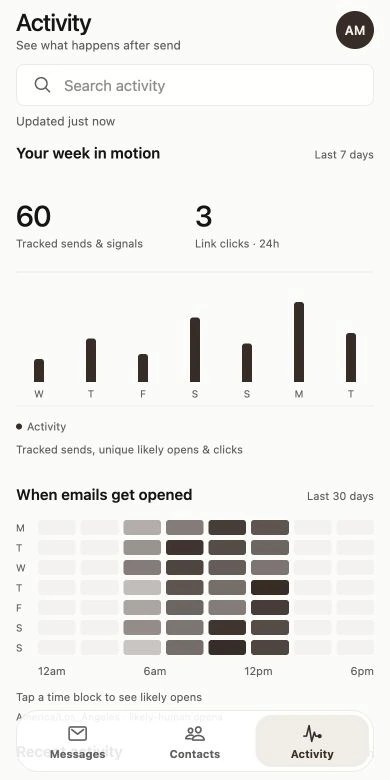
Activity screen in the Elite mobile app showing tracked sends, opens and clicks

02Messages

Keep inboxes together on mobile

Bring Gmail™ and Outlook together on iPhone and iPad, with tracked sends and shared activity

  • Connected inboxes together. Gmail™ and Outlook in one list.
  • Tracked sends. Status and history on each message.
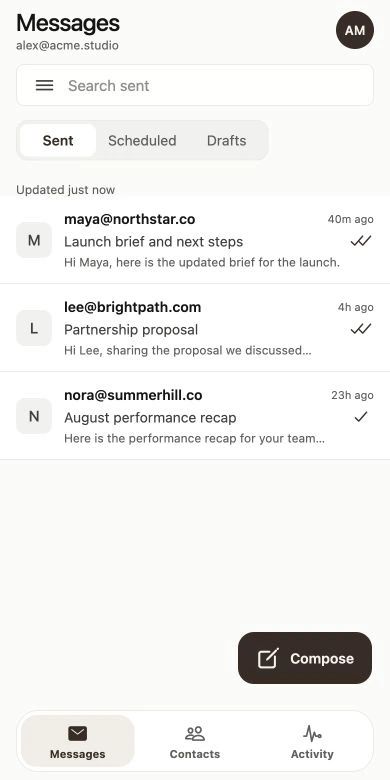
Messages screen in the Elite mobile app listing tracked conversations

03Contacts

Bring relationship context with you

Explore mobile contact and conversation views for work beyond your desk

  • Relationship context. Details and recent activity for each person.
  • Ready before you reply. See what was last shared.
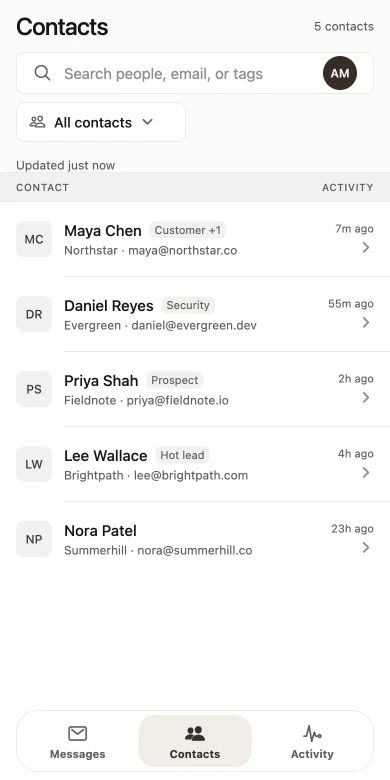
Contacts screen in the Elite mobile app with relationship details

04Reports and alerts

Keep time-sensitive follow-ups visible

Explore the activity and reminder experience designed for the mobile workspace

  • Time-sensitive follow-ups. Reminders surface when they are due.
  • Reports on the move. Check performance without opening a laptop.
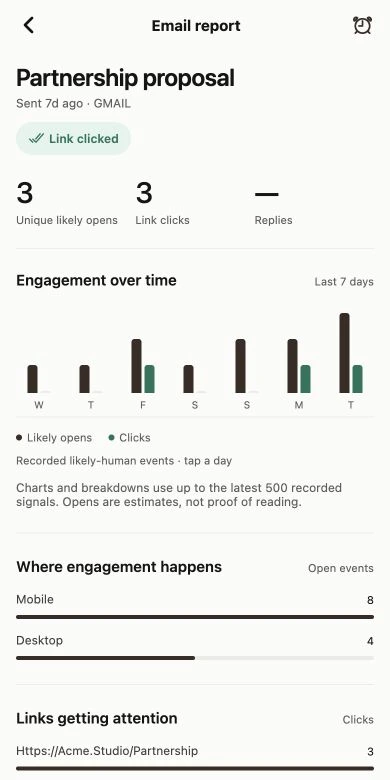
Report screen in the Elite mobile app with engagement for a tracked message

Get started

Set up in three steps

Connect Gmail™ and Outlook accounts

  1. Install Elite on your device

    Get the Elite Mail Works app and sign in with your Elite account on your phone or tablet

  2. Connect your accounts

    Bring Gmail™ and Outlook accounts into the mobile workspace

  3. Follow up on the move

    Review activity and reminders alongside the conversation

Download on theApp Store
Installation guide

Mobile apps

Get Elite Mail Works for iPhone and iPad

Download the app, sign in with your Elite account and your workspace is ready

Download on theApp StoreGet it onGoogle Play
Scan for iPhone & iPad
Scan for Android

Good to know

Clear about the limits

We would rather you trust Elite than be surprised by it. These are the boundaries worth knowing before you install.

  1. Elite is a separate mobile workspace for your connected accounts. To stay inside the Gmail™ app, choose the Gmail™ add-on instead.
  2. Background activity and notification timing depend on the device and its operating system
  3. Blocked images can leave no open signal, and privacy services can create requests without someone reading the message

Other platforms

Elite wherever you send email

One account covers every browser, add-in and mobile app. Install as many as you use.

Chrome Extension

Track email directly from Chrome

View

Edge Extension

Track email directly from Microsoft Edge

View

Firefox Extension

Track email directly from Firefox

View

Gmail™ Mobile Add-on

Track messages from the Gmail™ mobile app

View

Outlook Add-in

Email tracking inside Outlook

View

Android App

Email tracking for Android

View

Questions

iPhone & iPad FAQ

Answers about setup, compatibility, privacy, and day-to-day use

Visit the help center

Can I connect more than one inbox?

Yes. Connect Gmail™ and Outlook accounts and switch between them in Elite.

Does it work inside Apple Mail?

Elite has its own mobile workspace. It does not add tracking controls to Apple Mail.

Can I keep using Elite on desktop?

Yes. Sign in to the same Elite account to keep your workspace connected across devices.

Can an open confirm that someone read my email?

No. Privacy services and automated scanners can request an email’s images too. Elite labels that activity so you can interpret it in context.

Get started

Keep your next conversation close

Send tracked email, switch between connected accounts, review activity and get follow-up alerts. Elite Mail Works for iPhone and iPad is available now on the App Store.

Download on theApp Store
Compare plansAll downloads
Elite Mail WorksElite Mail Works
Email TrackerWorkflowsSolutionsPricing
Log inStart free

Tracking

Elite Email TrackerFollow-up RemindersEmail Analytics

Outreach

CampaignsMail MergeEmail TemplatesVideo Messages

Requests & documents

Document RequestsVideo RequestsSignature RequestDocuments overviewDocument TrackingSecure Document SharingConfidential Watermark

Workspace

CRM for EmailTracker BlockingWorkflowsIntegrationsAI connections

Get Elite Mail Works

Chrome ExtensionEdge ExtensionFirefox ExtensionGmail™ Mobile Add-onOutlook Add-iniPhone & iPad AppAndroid App

Resources

BlogSign PDF OnlineSignature StudioEmail signature templatesGmail™ signature generatorOutlook signature generatorVideo RecorderEmail Tracking GuideWorkflow ExamplesTutorialsCustom EmailFAQs & Help CenterComparisons
View all features
Product
Elite Email TrackerFollow-up RemindersEmail AnalyticsCampaignsMail MergeEmail TemplatesVideo MessagesDocument RequestsVideo RequestsSignature RequestDocuments overviewDocument TrackingSecure Document SharingConfidential WatermarkCRM for EmailTracker BlockingWorkflowsIntegrationsAI connections
Download
Chrome ExtensionEdge ExtensionFirefox ExtensionGmail™ Mobile Add-onOutlook Add-iniPhone & iPad AppAndroid App
Resources
BlogSign PDF OnlineSignature StudioEmail signature templatesGmail™ signature generatorOutlook signature generatorVideo RecorderEmail Tracking GuideWorkflow ExamplesTutorialsCustom Email
WorkflowsSolutionsPricing
Log inStart free
Ask about Elite Mail Works on
Elite Mail WorksElite Mail Works
  • Download on the App Store
  • Get it on Google Play

Company

ContactAbout UsBrandingCareersPress

Features

Elite Email TrackerFollow-up RemindersEmail AnalyticsCampaignsMail MergeEmail TemplatesVideo MessagesDocument TrackingSecure Document SharingConfidential WatermarkSignature RequestCRM for EmailTracker BlockingDocument RequestsVideo Requests

Solutions

StartupsLawyers & AttorneysFreelancersHRTeachers & ProfessorsReal EstateMarketersSmall BusinessSales ProfessionalsAccountantsElite Mail Works for TeamsProposal Software

Download

Chrome ExtensionEdge ExtensionFirefox ExtensionGmail™ Mobile Add-onOutlook Add-iniPhone & iPad AppAndroid App

Resources

BlogSign PDF OnlineSignature StudioEmail signature templatesGmail™ signature generatorOutlook signature generatorVideo RecorderEmail Tracking GuideWorkflow ExamplesTutorialsCustom EmailWorkflowsDocuments overviewAI actionsIntegrationsEnterprisePricingFAQsComparisonsPrivacyTermsSecurity
  • Available in the Chrome Web Store
  • Add to Slack
  • Available on Microsoft Marketplace: Outlook add-in
  • Get it from Microsoft Edge
  • Get the Firefox add-on
  • Get it from Google Workspace Marketplace: Gmail add-on
  • Powered by AWS: system email delivery using Amazon SES
  • Protected by Cloudflare
  • Powered by Stripe: payment processing
  • elitemailsuite.com: green hosting through Cloudflare, checked by Green Web Foundation
  • Product HuntFind us onProduct Hunt

© 2026 Elite Mail Works. All rights reserved.

Gmail™, Google Workspace, Chrome, and Android are trademarks of Google LLC. Microsoft, Microsoft Edge, and Outlook are trademarks of the Microsoft group of companies. Yahoo and Yahoo Mail are trademarks of Yahoo Inc. Elite Mail Works is an independent product and is not affiliated with or endorsed by these companies.